Learn how to invite a coach to Enroll NYC™ here. You can either:
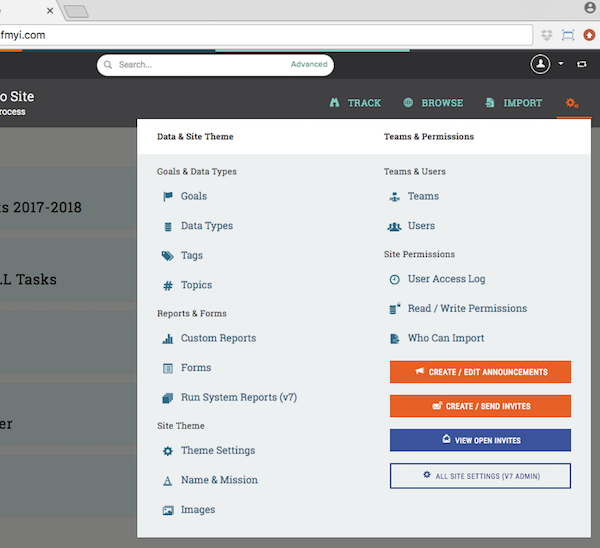
1: To create a coach invite, mouse over the gear icon and click "Create/Send Invites."
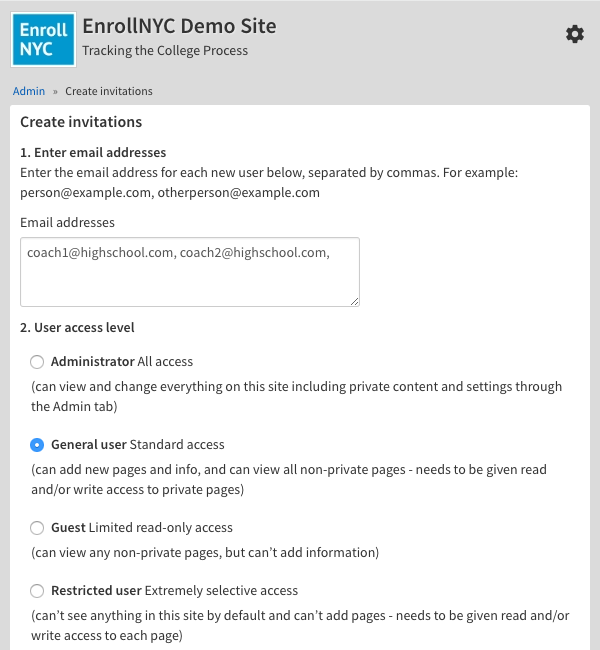
2: Next, enter your coaches' email addresses, separated with commas. Then, select "General user."
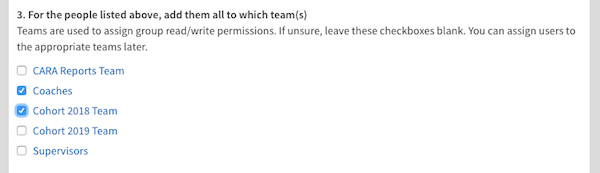
3: Then, check off "Coaches" and the appropriate Cohort team, such as "Cohort 2018 Team."
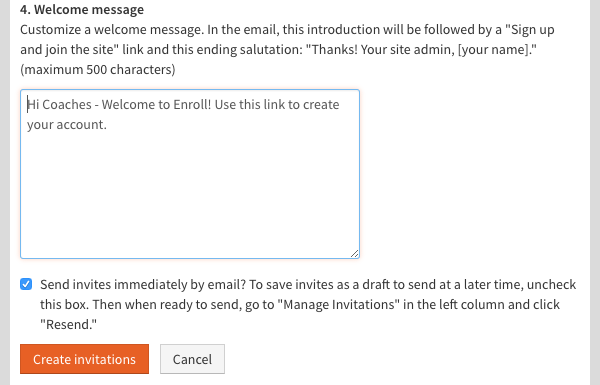
4: Finally, personalize your welcome message, and click "Create invitations."
5: To return to your dashboard, click on the "Enroll NYC" logo.
Comments