Learn how to update or delete forms posted in Enroll NYC™ here. You can either:
1: To update fields on a form posted to multiple pages, access the form through a tracker.
2: First, select any tracker and click “Post form”.

3:Then, in the upper left of the dialogue box, choose “Log History".
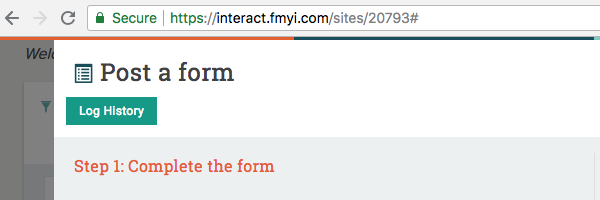
4: Now, find the form you want to update and click “Batch update”.

5: Update the desired form fields. When you are finished, click “Update form posts”.
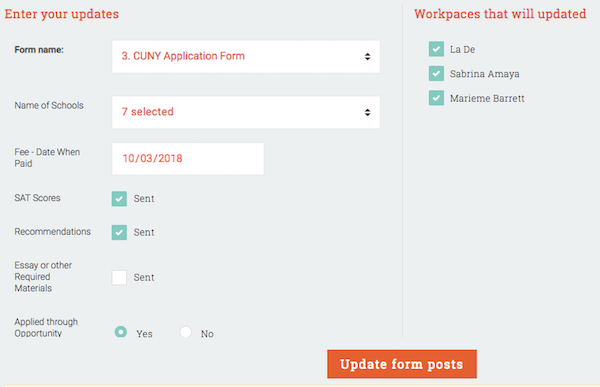
NOTE: once you create a form, you cannot add or remove it from a student workspace. Make an identical form to apply the form to additional students.
6: If you want to delete a form entirely, contact your administrator—they will be able to assist you.
Comments